You know that moment when someone tells you, “I searched your business on Google, but your profile looks incomplete”?
It happens more often than you’d think.
I’ve seen businesses spend months improving their website and social media while their Google Business Profile still has an old phone number, outdated photos, missing services or the wrong business category.
That’s a problem because, for a local business, Google Maps is often the first place a potential customer meets you.
A customer searching for a café in Dehradun, a hotel in Mussoorie, a travel company in Rishikesh or an agency in Haridwar may see your Google profile before they ever visit your website.
Google itself describes the Business Profile as the way businesses manage how they appear on Search and Maps, including information such as hours, website, phone number, location, photos and reviews.
So if you’re running a business in Uttarakhand, here’s the checklist I’d actually use.
1. Is Your Business Name Exactly Right?
Let’s start with something simple.
Your Google Business Profile name should be your actual business name.
Don’t turn it into:
“ABC Digital Marketing Agency – Best SEO Company in Dehradun”
because you want to rank for “SEO company Dehradun.”
Google’s guidelines specifically say the business name should reflect how the business is represented in the real world. Extra keywords, promotional slogans, phone numbers and unnecessary information don’t belong there.
If your signboard says ABC Digital, use ABC Digital.
Put your services and location in the sections designed for them.
Quick check:
- Does your Google name match your real business name?
- Does it match your website and offline branding?
- Have you removed unnecessary keywords?
2. Pick the Category That Best Describes What You Actually Are
This is one of those small settings that people often rush through.
Your primary category should describe what your business is, not every service you provide.
A café is a café even if it also offers delivery. A digital marketing agency is still an agency even if it offers SEO, web development and paid advertising.
Google recommends choosing the fewest, most specific categories needed to describe the core business.
Before selecting your category, ask yourself:
“If I had to describe my business in one sentence to a customer, what would I call it?”
Start there.
3. Get Your Address and Service Area Right
This matters a lot in Uttarakhand because many businesses serve customers across different cities.
A Dehradun-based service business might work with clients in Mussoorie, Rishikesh and Haridwar. That doesn’t mean it should create four fake Google locations.
If customers visit your physical location, use the genuine address.
If you travel to customers and don’t receive them at your address, you may need to use a service-area setup instead. Google allows service-area businesses to define the cities, postal codes or other areas they actually serve.
And please don’t use a virtual office just to get a Dehradun address.
Google’s guidelines specifically say virtual offices aren’t eligible as business locations, while coworking locations have additional requirements around signage, staffing and customer access.
Check:
- Correct address
- Correct map pin
- Genuine service area
- No fake city locations
- No virtual-office listing
4. Don’t Leave Half the Profile Empty
This is probably the most common issue I see.
The business name is there. The phone number is there. Maybe a logo.
That’s it.
Your profile should give a potential customer enough information to understand the business without having to hunt around.
Review:
- Phone number
- Website
- Opening hours
- Holiday hours
- Services
- Products, where relevant
- Business attributes
- Booking or appointment options, where available
Google recommends providing complete and accurate business information because it helps customers understand what you do, where you are and when they can visit.
If your business closes at 6 PM but Google says 8 PM, that’s not a small mistake when a customer arrives at 7:30.
5. Write Your Description Like a Business Owner, Not a Keyword Tool
I’ve read too many descriptions that sound like this:
“We are the best leading digital marketing agency in Dehradun providing the best affordable SEO services…”
It says a lot and tells me almost nothing.
Instead, explain what you do, who you help and where you operate.
For example:
“Nevtrino helps businesses in Dehradun and across Uttarakhand with SEO, website development, paid advertising and digital marketing.”
That’s enough to establish context.
Google says the description should provide useful information about the business, its products or services, mission and history. It also restricts promotional language, links and irrelevant content in this section.
Write for the customer standing in front of you, not for a keyword counter.
6. Add Photos That Show the Real Business
If I were choosing between two hotels in Mussoorie and one had 30 recent clear photos while the other had three blurry images from five years ago, I’d probably investigate the first one.
Your photos should show what customers will actually experience.
Depending on the business, that could mean:
- Exterior and entrance
- Interior
- Team
- Products
- Rooms
- Workspace
- Equipment
- Food
- Services
- Parking
- Important facilities
Google recommends clear, well-lit photos that represent reality rather than heavily altered images.
For a café in Rishikesh, show the seating and actual atmosphere.
For a hotel in Mussoorie, show the rooms and property.
For a Dehradun agency, show the office and team.
Don’t make your Google profile look like a stock-photo gallery.
7. Treat Reviews as Part of the Business, Not a Monthly SEO Task
Getting reviews shouldn’t be something you remember only when your competitor’s rating goes above yours.
Ask genuine customers for feedback after they’ve actually used your service.
Then respond.
Not with the same:
“Thank you for your valuable feedback.”
under every review.
If someone mentions a specific employee, service or experience, respond to that.
Negative reviews deserve attention too. A calm, useful response can tell future customers a lot about how you handle problems.
And never buy reviews or offer rewards for positive reviews. Google’s policies require reviews to represent genuine experiences.
8. Make Sure Your Website and Google Profile Tell the Same Story
This is where your Google Business Profile and SEO strategy start working together.
Suppose your profile says:
But your website barely mentions SEO, doesn’t explain your services and has no clear connection to Dehradun.
There’s a missed opportunity.
Your website should make three things obvious:
What you do.
Where you operate.
Who you serve.
Google can also use information from a business’s official website and other public sources when compiling business information.
Your website and Google profile shouldn’t contradict each other.
9. Build a Real Local Presence Beyond Google
Your Google profile shouldn’t be the only place where your business exists.
Look at relevant:
- Local business directories
- Industry websites
- Local publications
- Associations
- Community websites
- Business listings
- Local news mentions
The goal isn’t to submit your business to 200 directories nobody has heard of.
I’d rather have five relevant, trustworthy local references than fifty junk listings.
Keep your important business details consistent wherever they appear.
10. Actually, Look at Your Google Business Profile Data
Once the profile is cleaned up, start paying attention to what happens next.
Google’s Performance report can show how people find your profile and what they do afterward, including searches, views, calls, directions and website clicks.
This is where the data becomes useful.
If people are finding your business but nobody is calling, there’s a different problem from having almost no profile visibility.
If customers are searching for services, you don’t prominently discuss, that’s useful information for your website and content strategy.
Don’t just ask:
“What position am I ranking at?”
Ask:
“Are the right people finding me, and are they taking action?”
That’s a much better question.
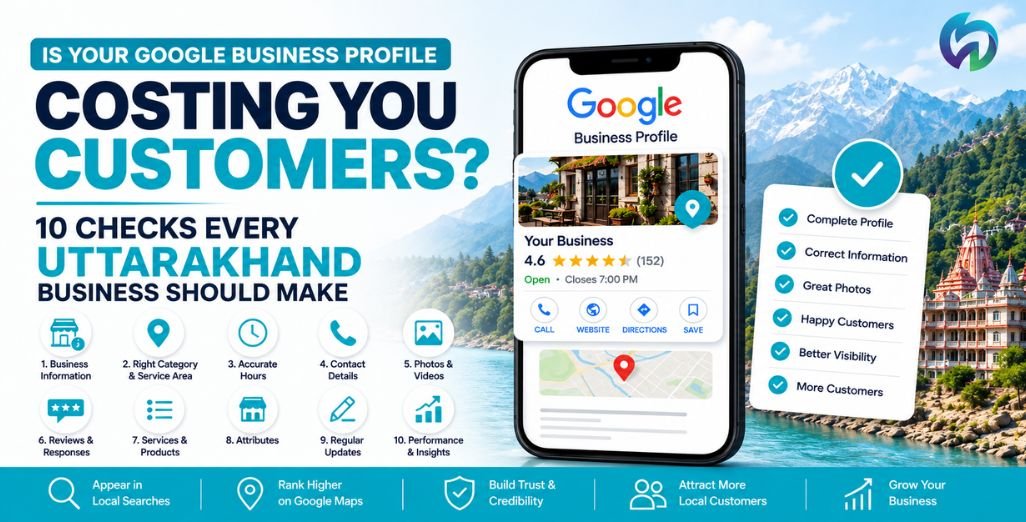
The 10-Point Checklist
Before considering your profile properly set up, check:
- Real business name
- Correct primary category
- Accurate address/service area
- Current phone number and website
- Correct business hours
- Useful business description
- Recent, genuine photos
- Genuine reviews and thoughtful responses
- Consistent website and local information
- Regular performance checks
And don’t treat this as a one-time setup.
Businesses change. Services change. Staff change. Opening hours change. New competitors arrive. Customers leave new reviews.
Your Google profile should change with the business.
Need Help with Your Google Business Profile?
If you’re running a business in Dehradun or anywhere across Uttarakhand, you probably have more important things to do than spend hours checking categories, service areas, reviews and local search data.
That’s where the Nevtrino team can help.
We’ll look at your Google Business Profile, website and local search presence, identify what’s missing and work out what needs attention.
Visit our Contact Us page, call us, or fill out the enquiry form. Tell us what you’re trying to achieve, and our team will take it from there.
You focus on running your business. We’ll take care of getting it found.