
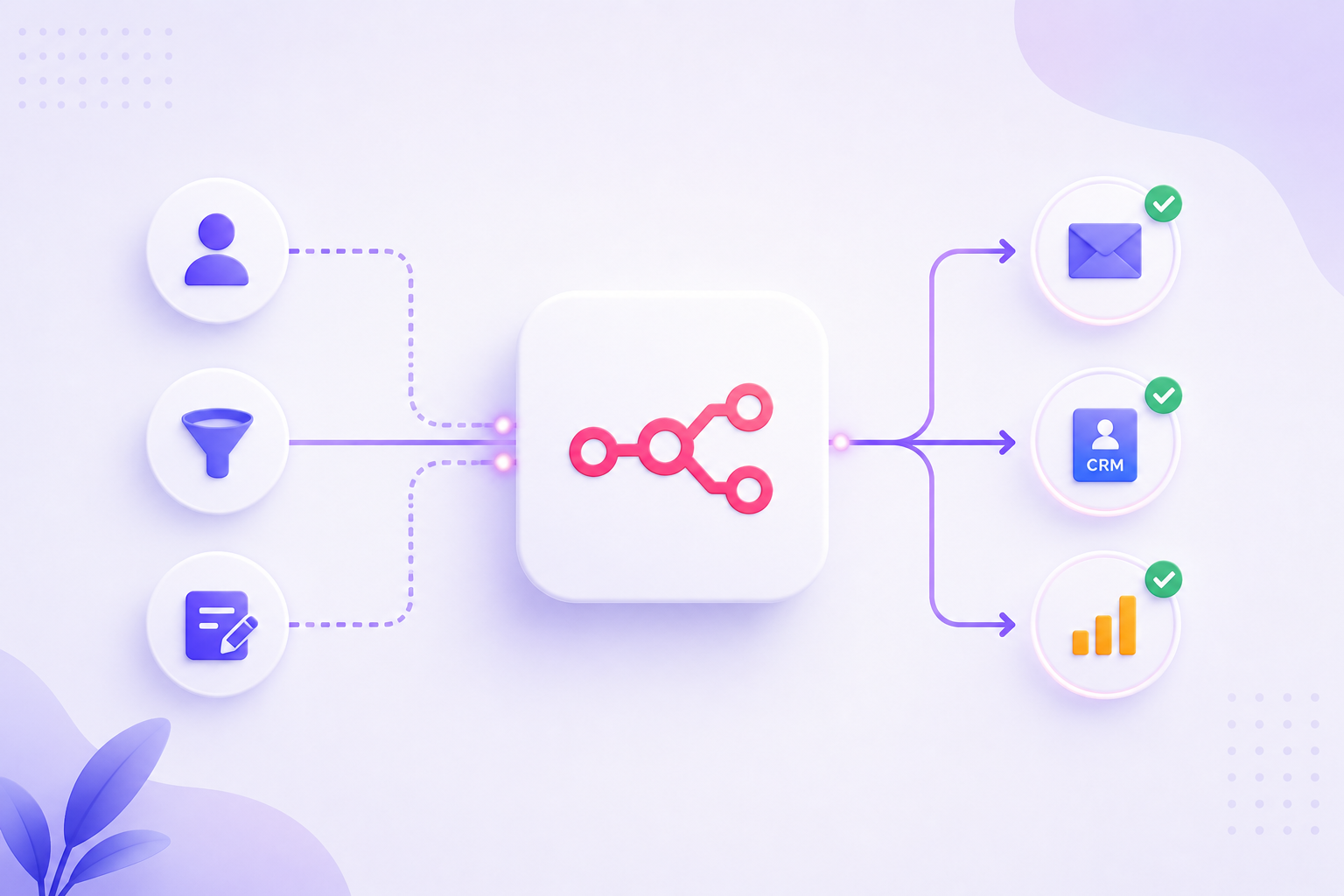
Most businesses collect leads from several places at once. There’s a form on the website, a landing page for a campaign, inquiries coming through email, and sometimes leads from social media or third-party platforms. The problem isn’t getting leads; it’s what happens after they arrive.
In most cases, someone has to manually check each source, copy details into a CRM or spreadsheet, determine who should handle the lead, and then notify that person. By the time all of this is done, hours have passed, sometimes even a full day. The lead might have already moved on or reached out to a competitor who responded faster.
This is where many teams face challenges. The intent is there, but the process creates delays. Setting up automated lead generation workflows with n8n can help, but only if the workflow is designed to match how your business actually operates, not just how automation tools expect it should work.
How to Set Up Automated Lead Generation Workflows With n8n?
First, it’s important to understand that automation isn’t about replacing judgment. It’s about removing the repetitive steps that slow everything down. You still decide how leads should be handled; the workflow simply carries out those decisions consistently and quickly.
n8n is a workflow automation platform that connects different tools and services. It’s open source, meaning you can host it yourself or use their cloud option. Its flexibility makes it useful for lead generation. You’re not locked into specific apps or forced to change your entire process just to automate parts.
The approach is straightforward. You create a series of steps that trigger when a lead enters your system. Each step performs a specific task, like capturing lead data, checking the source, routing it to the right person, and storing it in your CRM or a spreadsheet. Once the workflow is set up, it runs automatically.
From a workflow perspective, the key is ensuring each step has a clear purpose and handles errors properly. If a connection fails or data is missing, the workflow should still do something useful instead of just stopping without warning.
What an Automated Lead Workflow Actually Does
In practice, a lead workflow manages the moments right after someone shows interest in your business. For example, if someone fills out a contact form on your website asking about services, that form submission sits in an inbox until someone notices it without automation.
With a workflow, the form data is picked up immediately. The workflow checks which service they’re inquiring about, routes the lead to the right person, notifies them with all the details, and adds the lead to your CRM or tracking sheet. It can also send the person who filled out the form an acknowledgment email, confirming you received their inquiry.
This whole process takes just a few seconds. The lead gets a response, your team gets notified with context, and no one has to copy or paste anything manually. That’s the key difference. It’s not magic; it’s about eliminating the manual steps that cause delays.
Another example is managing leads from multiple campaigns running at the same time. If you’re running ads in different cities and each city has a different sales contact, the workflow can route leads based on location automatically. The routing logic is built into the workflow, making it happen every time without manual intervention.
Systems That Usually Get Connected
Most lead generation workflows connect a few core systems. The exact tools depend on what you’re already using, but similar patterns exist across businesses.
Form builders like Google Forms, Typeform, or custom forms on your website typically serve as the starting point. These tools capture the initial lead data. The workflow needs a way to pull this data as soon as it’s submitted, usually through webhooks or direct integrations.
CRM systems are where leads need to end up. Tools like HubSpot, Zoho CRM, Pipedrive, or even Salesforce can receive new contact records automatically. If you’re not using a CRM, Google Sheets or Airtable can work just as well for tracking leads in an organized way.
Email tools manage notifications and follow-ups. This could be SendGrid, Mailchimp, or basic SMTP for sending simple emails. The workflow can trigger emails to your team when leads come in and send automated responses to the leads themselves.
Messaging platforms like Slack or Microsoft Teams are useful for real-time alerts. A quick message with lead details gets attention faster than an email that might sit unread for hours.
These connections matter because most businesses already use some combination of these tools. A good workflow doesn’t force you to switch platforms. It works with what you have and fills gaps between them.
The Logic Behind Setting Up the Workflow
When you build a workflow, the first step is capturing the lead. This means setting up a trigger that listens for new form submissions, webhook requests, or scheduled checks of an inbox or database. The trigger starts the workflow as soon as a lead appears.
Once the lead data is captured, you usually want to validate or enrich it. This could mean checking if the email address is properly formatted, removing any duplicates, or pulling in extra information from other sources. This step keeps bad data from cluttering your CRM.
Next comes routing. Not every lead should go to the same person. You might route based on geography, product interest, company size, or lead source. This is where conditional logic comes into play. The workflow checks specific fields in the lead data and routes accordingly. If the logic is clear, the workflow handles it without trouble.
Sending alerts is simple but crucial. Your team needs to know when a qualified lead comes in. The workflow can send an email, a Slack message, or an SMS with the lead’s details. The quicker your team sees this, the faster they can respond.
Storing the lead data comes next. The workflow adds the lead to your CRM or tracking sheet, creating a new record with all relevant information. This removes the need for anyone to manually enter data later.
Basic follow-up is optional but helpful. You can set the workflow to send an immediate confirmation email to the lead, thanking them for their inquiry and informing them that someone will be in touch soon. This small step makes a better experience and shows your responsiveness.
The whole workflow runs in sequence, and each step only moves forward if the previous one succeeds. If something fails, you can set up fallback actions so nothing gets lost.
Why This Approach Works
The biggest advantage is response time. Leads that are contacted within the first few minutes are much more likely to engage than those contacted hours later. Automated workflows make this possible without requiring someone to constantly watch lead sources.
Fewer missed leads is another clear benefit. Manual processes depend on people remembering to check forms, follow up, and update records. Automated workflows don’t forget. Every lead that comes in is handled the same way every time.
Data stays cleaner because there’s no manual copying between systems. When people copy and paste lead information, mistakes can happen. Fields may get mixed up, phone numbers may be formatted incorrectly, and emails might contain typos. Automation moves data exactly as it’s received.
There’s also less daily stress around follow-up. Your team doesn’t have to worry about missing a lead or forgetting to respond to someone. The workflow manages the initial contact and tracking, allowing them to focus on actual conversations.
Mistakes People Usually Make
One common mistake is building workflows that are too complex from the start. People try to automate every possible scenario and edge case before testing the basic flow. This can lead to workflows that break easily and are hard to troubleshoot. It’s better to start simple and add complexity only after confirming the basics work.
Another error is not handling mistakes. If the workflow expects a field to always be filled out, but someone submits a form without it, the workflow can break. Adding basic checks and fallback actions helps prevent this.
Some teams set up workflows and then never review them. Lead sources change, team members move to different roles, and CRM fields get updated. If the workflow isn’t reviewed regularly, it can start routing leads to the wrong people or storing data incorrectly.
Failing to test with real data before going live is also common. Sample test data might work perfectly, but real leads often have unexpected formats or missing information. Testing with actual form submissions or past leads helps catch these issues early.
How Nevtrino Private Limited Approaches Workflow Setup
Nevtrino Private Limited works with businesses across India to design and implement workflow automation that fits their existing processes. The focus is on understanding how leads currently move through the business and finding where automation can help.
Instead of offering generic templates, the team builds workflows based on the specific tools and lead sources each business uses. This means the workflow integrates with the existing CRM or spreadsheet, connects to current forms and landing pages, and routes leads according to the real team structure.
The implementation includes testing, error handling, and documentation so teams understand how the workflow operates and can adjust when needed. There’s ongoing support to ensure workflows continue working as business needs change.
The approach is practical, focusing on solving real bottlenecks rather than just automating for the sake of it.
Final Thoughts
Automated lead generation workflows make sense when manual processes create delays or missed opportunities. The goal isn’t to automate everything; it’s to streamline the repetitive steps that slow down response times and leave room for errors.
Setting up a workflow requires understanding where your leads come from, how they should be handled, and what tools you’re currently using. Once that’s clear, building the workflow involves connecting the right steps in the right order.
Start simple. Get the basic flow working, then refine it based on how leads actually behave and what your team needs. Automation works best when it supports your process rather than forcing you to change everything to fit a tool.